






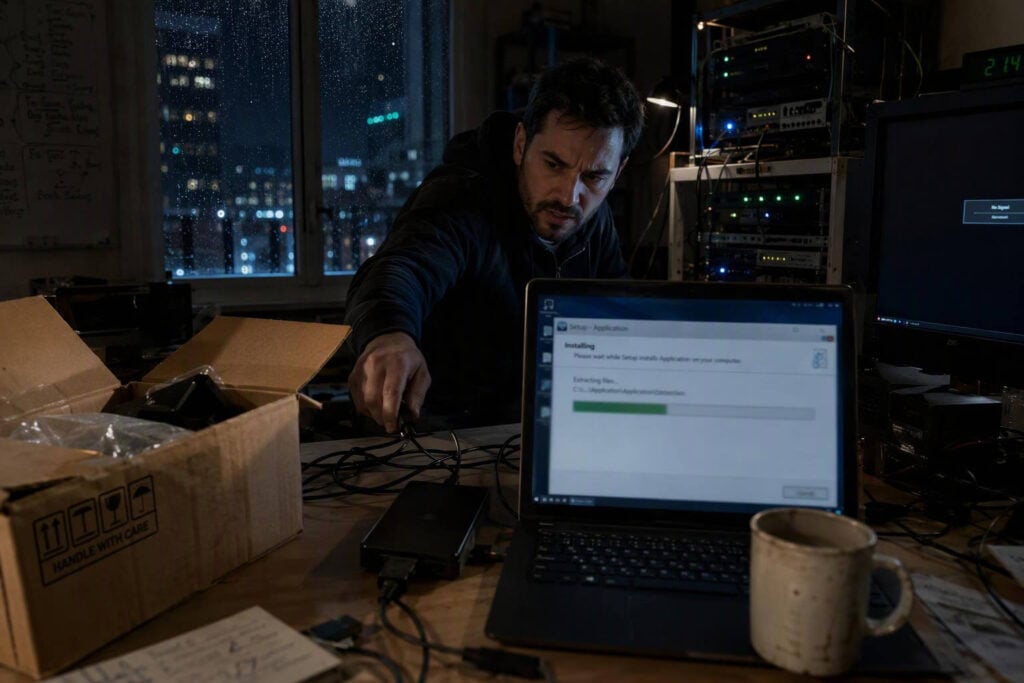
The Yoba malware campaign is using fake ChatGPT and Claude downloads to compromise Windows computers. Disclosed on 27 October 2026, the active operation combines poisoned search results, trusted GitHub services and validly signed software with a malicious DLL.
Check Point Research tracked the activity for two months leading up to disclosure. Its analysis found that the attackers were distributing an XMRig cryptominer, although the infection chain is flexible enough to install other Windows executables or PowerShell payloads.
How the Yoba malware campaign reaches victims
The operators created fake GitHub repositories and associated GitHub Pages sites advertising supposed AI desktop applications. The invented products were named GPT-5.6 Sol, GPT-6 Astra and Claude Opus, linking them to well-known AI brands despite not being official releases.
The sites included descriptions and download buttons intended to make the projects appear credible. Those buttons directed visitors to ZIP archives stored in GitHub Releases, keeping the entire initial delivery route within infrastructure that many developers and business users recognise and trust.
The repositories did not rely on artificial stars or forks to suggest popularity. Instead, their prominent placement in Google results indicated SEO poisoning, where page titles, descriptions and hosting choices are manipulated to improve malicious pages’ search rankings.
This approach targets users at the moment they are actively looking for an AI application. A visitor can move from a search result to a GitHub page and then to a GitHub-hosted archive without encountering an obviously unfamiliar download domain.
The campaign affects Microsoft Windows systems. Both personal and workplace devices are exposed if users download and run the counterfeit installers, particularly where software can be executed without central approval.
Signed ChatGPT and Claude files hide malicious code
Each archive analysed in the Yoba malware campaign contained a legitimate, validly signed executable from OpenAI or Anthropic. The signed Setup.exe file was placed beside an attacker-controlled library named winmm.dll.
This arrangement exploits Windows DLL search behaviour rather than a software vulnerability. When the legitimate executable starts and requests winmm.dll, Windows can search its local folder and load the malicious copy supplied in the archive.
The technique is known as DLL sideloading. It allows malicious code to execute inside the context of a recognised program, while the visible executable retains its authentic digital signature. Security controls that place excessive trust in signed applications may therefore treat the initial process as benign.
There is no indication that OpenAI’s or Anthropic’s software was compromised or contained an exploitable flaw. The attackers simply repackaged authentic files so that normal Windows loading behaviour would activate their separate DLL.
YobaDropper and persistence
The first malicious component is called YobaDropper. It checks that it is running through the expected Setup.exe process, helping it avoid some automated sandboxes that extract or execute suspicious files in isolation.
Reporting also describes keyboard-layout checks designed to avoid systems using Russian and certain Commonwealth of Independent States locales. Check Point identified indicators suggesting a Russian origin and activity primarily aligned with the UTC-4 time zone, but the operator remains unattributed.
YobaDropper installs a second component, YobaLoader, and establishes scheduled execution. The scheduled task is presented as a Microsoft component and is configured to trigger shortly after the computer boots, allowing the malware to resume without the user reopening the fake installer.
Yoba malware campaign command infrastructure
YobaLoader avoids depending on a single conventional command and control server. Instead, it combines several public services for domain generation, task retrieval and payload delivery, making the chain harder to disrupt through one blocked address.
The loader reportedly retrieves a seed from the profile image of a Telegram channel named yoba_fanclub. It uses that material to generate changing domains with adjective, noun, verb and number labels under dedyn.io.
Once a domain has been derived, the malware queries TXT records through Google’s DNS-over-HTTPS service. These records provide tasking data, allowing instructions to be exchanged through encrypted web-based DNS requests rather than a direct connection to a fixed command server.
The technical chain includes several controls for protecting the attackers’ instructions:
- Ed25519 signatures are used to validate commands before execution.
- AES encryption conceals the tasking content received by the loader.
- Payloads are retrieved from files.catbox.moe, a public file-hosting service.
- Generated domains follow an adjective-noun-verb-number.dedyn.io pattern.
This use of Telegram, Google DNS-over-HTTPS, dynamic DNS and Catbox means that individual network connections may resemble ordinary access to legitimate services. Defenders need to assess the sequence and context of activity rather than relying solely on domain reputation.
Confirmed XMRig payload and wider capability
In the infections examined, the final payload was XMRig 6.26.0, with mining traffic routed through Tor. Cryptomining consumes processor resources and electricity to generate cryptocurrency for the attacker, potentially causing degraded performance, higher costs and operational disruption.
However, the Yoba malware campaign should not be treated only as a cryptomining incident. YobaLoader is a general-purpose loader capable of delivering other Windows executables or PowerShell payloads. Operators could change the final malware while retaining the same search, GitHub and DLL sideloading chain.
Current exploitation status and related campaigns
As of 27 October 2026, Yoba was an active in-the-wild distribution campaign, not a proof-of-concept demonstration. Check Point’s disclosure was the first public report and remained the latest primary technical account available that day.
No specific acknowledgement of Yoba from OpenAI, Anthropic or GitHub was identified at publication. This does not alter the observed abuse of their files, brands or services, but it reinforces that the findings currently originate from Check Point’s investigation.
Separate research has documented similar tactics. Sophos previously examined a fake Claude site that used DLL sideloading to deliver the Beagle backdoor, while QiAnXin reported counterfeit AI tool repositories distributing malware. Those operations are not confirmed as part of Yoba, but they show that fake AI applications are an established lure.
Why this signed installer attack matters
The Yoba malware campaign joins several individually familiar techniques into a convincing route to infection. Search visibility creates the first impression of legitimacy, GitHub hosts the project and download, and a valid signature makes the executable appear authentic.
For organisations, the key lesson is that a valid signature proves who signed a particular file, not that every accompanying file is safe. The malicious winmm.dll is separate from the authentic executable and must be assessed as part of the complete downloaded package.
Actions organisations should take now
Organisations should review whether Windows devices have downloaded or executed AI installers from GitHub repositories rather than official vendor channels. Security teams should also look for the reported dynamic DNS pattern, unexpected Catbox downloads, unusual DNS-over-HTTPS TXT queries and scheduled tasks imitating Microsoft components.
- Allow AI desktop software only from official vendor domains or approved stores.
- Detect signed applications loading unexpected DLLs from user-writable folders.
- Restrict local administrator rights and apply application allow-listing where practical.
- Control unnecessary dynamic DNS, Tor and external DNS-over-HTTPS access.
- Consult Check Point’s technical report for updated indicators and YARA rules.
These controls directly address Yoba’s delivery and execution methods while reducing the chance that another counterfeit AI installer can reuse the same trusted services and sideloading technique.
Originally reported by cybersecuritynews.com.


